Newsfeed Lite: A calm, clutter-free way to follow tech news on your computer.
Add the websites, topic pages, or RSS feeds you want to follow, and Newsfeed Lite gathers a clean preview of each recent article (headline, image, and a short highlight) linked straight to the full story. It runs locally with a single command and no heavy setup.
Inside Newsfeed Lite
Click the thumbnails below to see the magazine-style Bento feed, dark mode, the personalized "For You" tab, reading preferences, and source management.
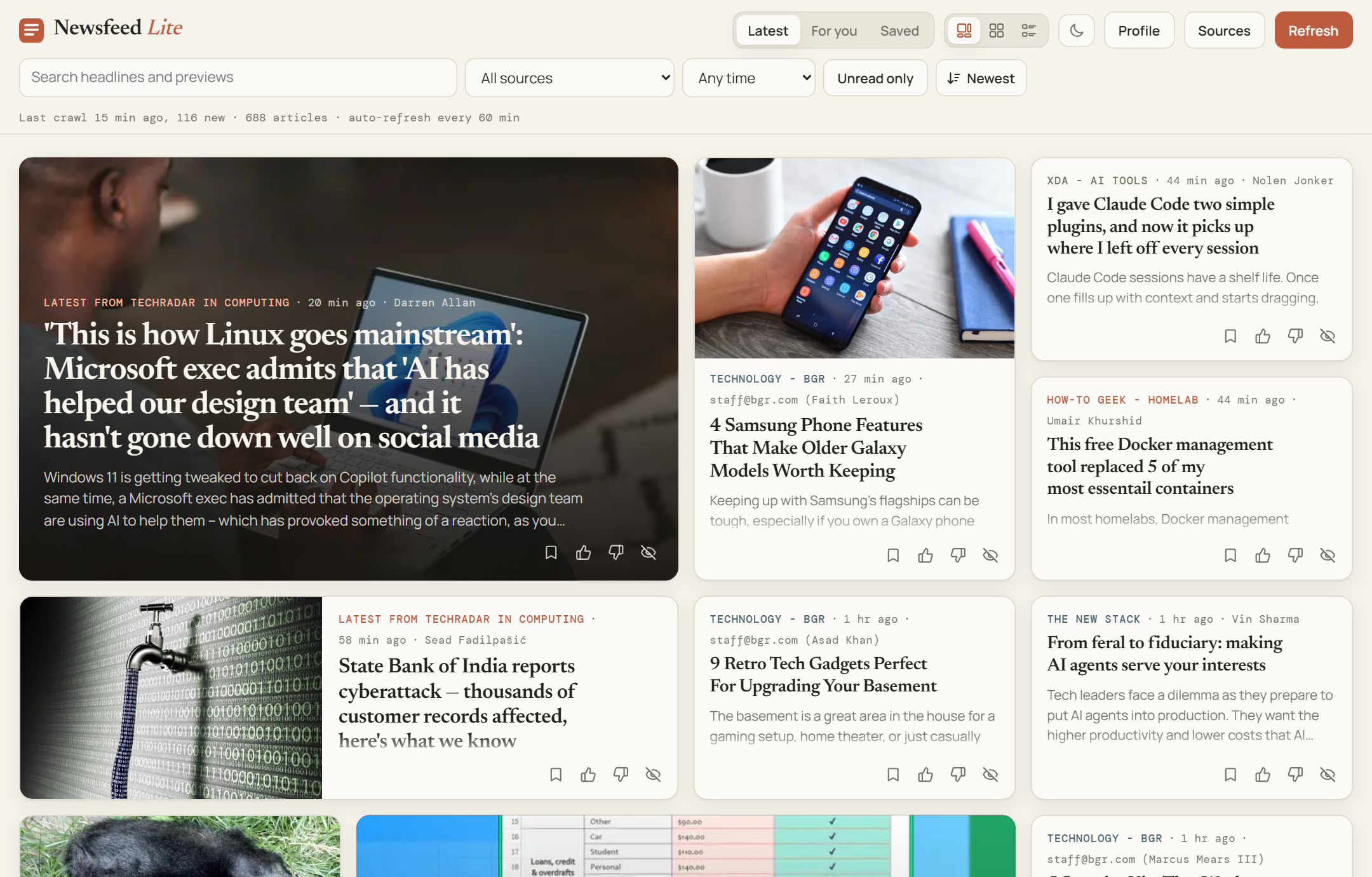
Latest Feed (Bento Layout): Clean article cards with headlines, cropped preview images, short highlights, and "Also covered by…" links when multiple sites report the same story.
Click Image to Zoom ⤢Keeping Up with Tech Without the Noise
A simpler, lighter version of an earlier news crawler project, built to run with zero fuss.
Checking ten different tech news sites every morning takes too much time, and social media feeds bury useful articles under clickbait and arguments.
I had previously built a larger news crawler that needed Docker, multiple databases, and extra services just to run. With Newsfeed Lite, I wanted to see how simple and lightweight I could make it: no Docker, no external databases, and no complex setup. You just run npm start and open your browser. Instead of scraping and storing full articles, it stores only the article listing, the headline, a preview image, and the first couple of lines, on your computer, linking you straight to the publisher's site when you want to read the full piece.
Add Any Site or Topic URL
Paste a website's home page, a specific category page (like /kubernetes/), or an RSS link. Newsfeed Lite figures out how to fetch the articles automatically.
Groups Duplicate News
When several sites report on the exact same story, only the first one gets a card, and the others are tucked neatly underneath as "Also covered by…" links.
Polite to Websites
Spaces out requests, respects rate limits, and remembers which articles it has already seen so it never hammers the sites you follow.
How Reading & Discovery Work
Clean article previews, smart search, and a transparent "For You" tab that you control.
1. From Website URL to Clean Article Card
Pick Your Sources
Add a site homepage, topic page, or feed link. The app checks for updates on a schedule or whenever you click Refresh.
Headline, Image & Teaser
Saves just the article listing, title, a cropped 640×400 preview image, and the first couple of lines, linking out to the full story.
Group & Filter
Groups matching stories across different sites, dims articles you've already opened, and lets you bookmark favorites under Saved.
Thumbs Up / Down
Reacting to articles teaches the "For You" tab what topics and sources to bring to the top next time.
2. Search & "For You" That Stay Under Your Control
Unlike black-box social feeds where you have no idea why something is being shown to you, Newsfeed Lite keeps everything transparent:
| Feature | What It Does | Why It's Helpful |
|---|---|---|
| Thumbs Up, Thumbs Down & Hide | Every card has quick reaction buttons. Opening or saving an article also counts as a mild positive signal. | Helps the For You view rank new articles based on your actual interests, while still mixing in fresh topics so your feed doesn't get stale. |
| Transparent Profile View | Clicking Profile shows the exact tags and sources you lean toward, plus a full list of your past reactions. | You can flip, unhide, or remove any past reaction, or reset your profile completely while keeping your bookmarked articles. |
| Smart Local Search | Finds articles by exact words as well as related meaning (for example, searching "graphics card prices" can surface an RTX 5080 pricing story). | Makes it easy to track down an article you remember reading even if you don't recall the exact words in the headline. |