Job Tracker: Keep your applications, interviews, and prep notes organized in one place.
A locally hosted web app built to replace messy job-search spreadsheets. It brings together a visual Kanban board, an interview calendar, resume attachments, follow-up reminders, and an interview prep vault, and can be launched with a single double-click on run.bat (or python app.py) or deployed with Docker.
Inside Job Tracker
Click through the thumbnails below to see the application board, interview prep vault, progress charts, calendar, and theme customization settings.
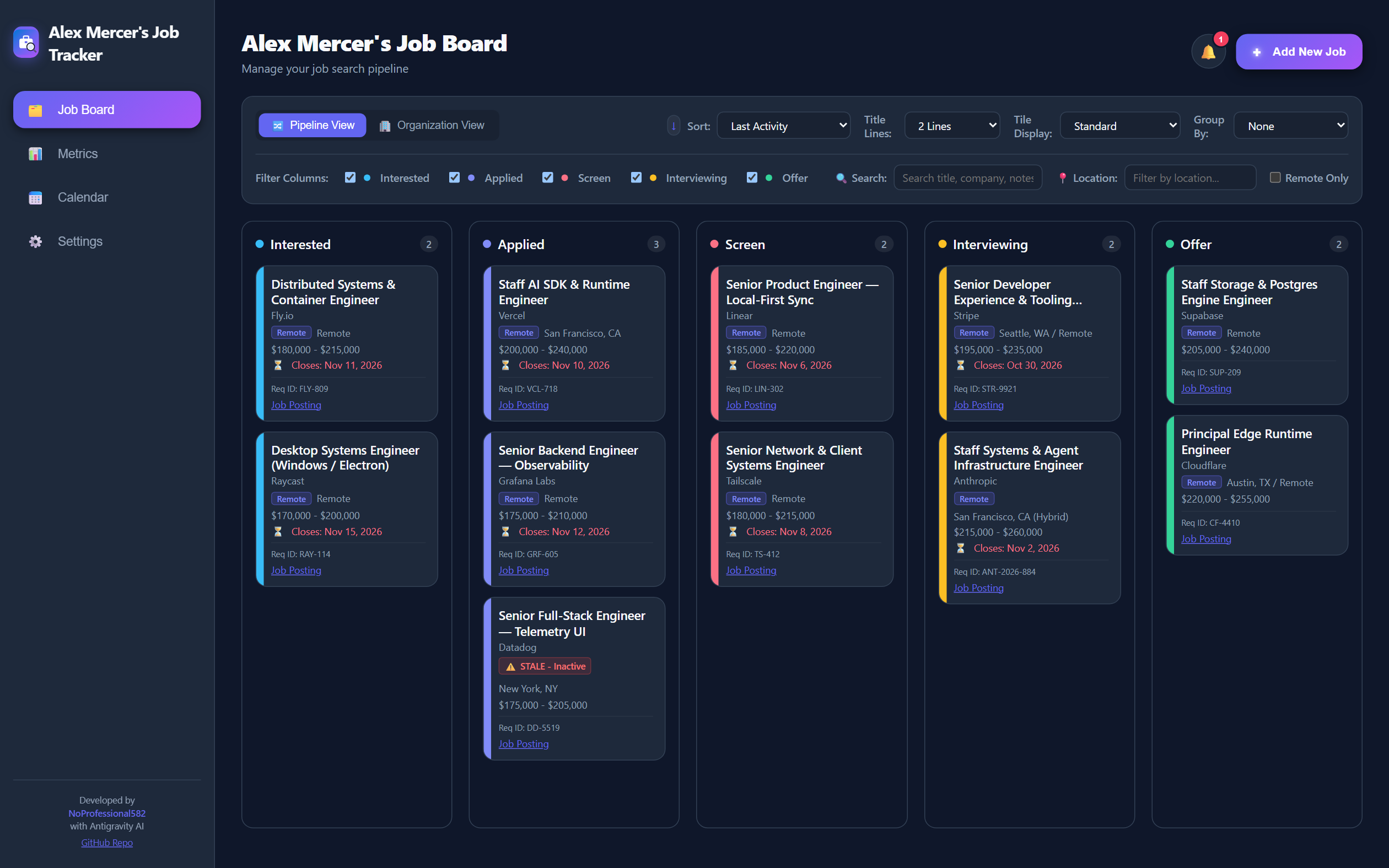
Job Board: View applications by status ("Interested", "Applied", "Screen", "Interviewing", "Offer") or group them by company, with quick filters for location and remote roles.
Click Image to Zoom ⤢Taking the Stress Out of Job Hunting
When you're applying to dozens of roles, a spreadsheet quickly turns into a wall of text.
Between tailored resumes, cover letters, recruiter names, interview time zones, and company research notes, keeping track of an active job search in a spreadsheet or scattered folders gets overwhelming fast.
I built Job Tracker so that every piece of information about an opportunity lives under a single card. I also wanted it to be easy for anyone to run on their own computer, even without programming experience, so on Windows you can simply download the folder, double-click run.bat, and open the app in your browser.
Interview Prep Vault
Keep your company research notes, questions to ask the interviewer, and Situation-Task-Action-Result (STAR) stories attached directly to the job you're preparing for.
Follow-Up Alerts
Automatically flags applications that haven't had any updates for 14 days (or whatever number of days you choose) so you know when to send a follow-up email.
Resumes & Activity Log
Attach the exact .pdf or .docx resume you submitted for that role, and keep a running log of every email, call, and status change.
How Everything Fits Together
From saving a job posting to prepping for the final interview.
1. Supporting the Entire Application Process
Add the Job
Save the company, title, salary range, job description, and attach the specific resume and cover letter you used.
Move Across the Board
Drag cards across columns as you hear back. Every status change is automatically recorded in the job's activity timeline.
Calendar & Checklists
Add recruiter calls and interviews to the built-in calendar and check off action items (like sending thank-you notes).
Review Your Vault
Before an interview, open the job card to review your company research notes and behavioral STAR stories in one view.
2. Thoughtful Everyday Details
| Feature | How It Helps |
|---|---|
| Remembers Your Layout | Whether you prefer grouping by company, sorting by salary, or viewing cards in a compact stack, your preferences are saved automatically. |
| Snooze or Clear Reminders | When the notification bell flags a stale application, you can snooze it for a few days, dismiss it, or check your history of past alerts. |
| Fully Customizable Columns & Colors | Every job search is different, so you can rename columns, add new stages, pick custom colors, or build your own light/dark theme in Settings. |